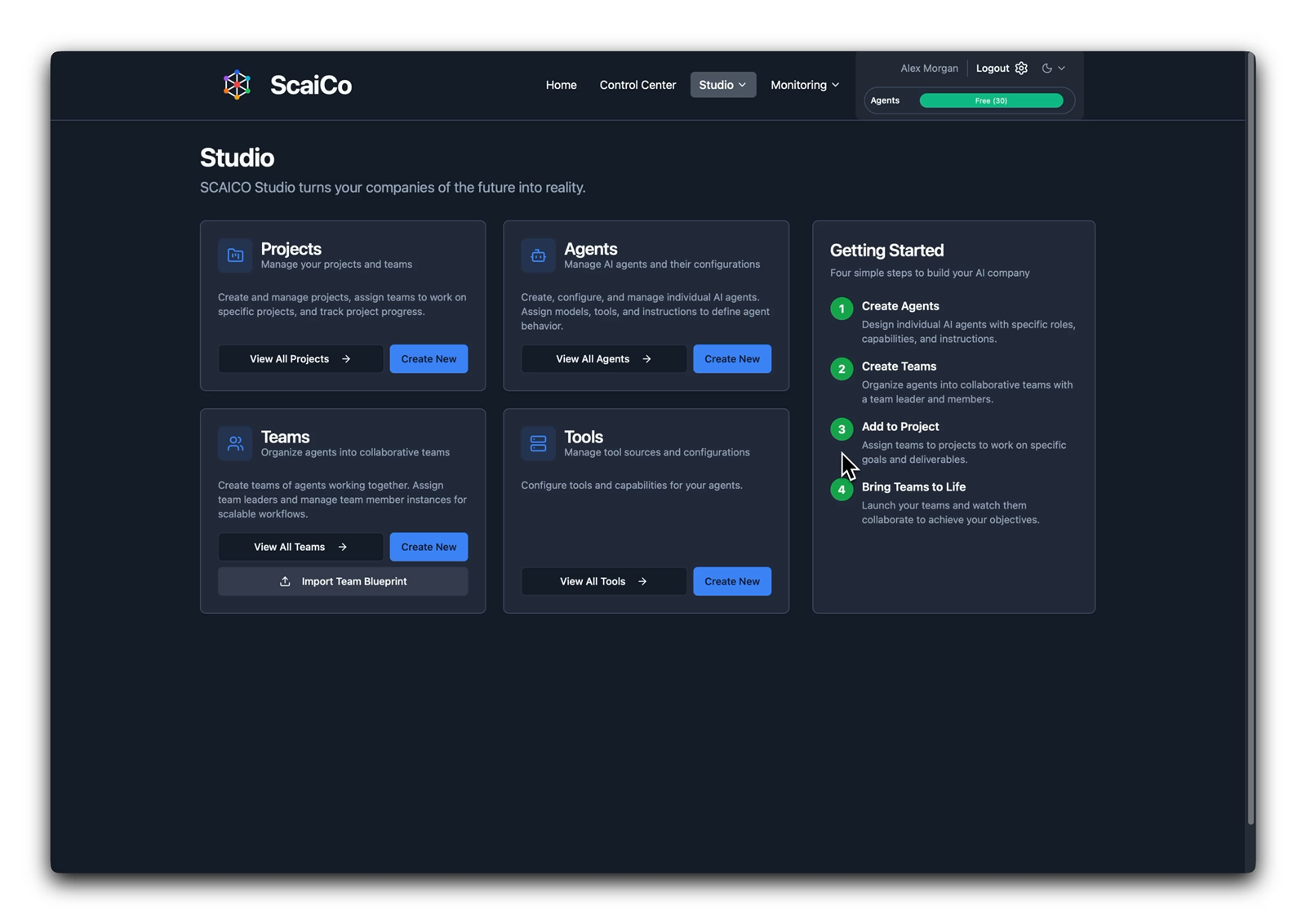
Studio
Studio overview
A guided starting point for projects, agents, teams, and tools makes the product approachable for people who want to build AI teams without wiring orchestration by hand.

Product dossier
Create specialist agents, expert teams, and company-scale operating structures without programming the orchestration layer.
Shape blueprints in the studio, attach tools, set budgets, run public sessions, and let outside applications call the same team runtime through the public API. A2A and MCP coordinate specialist teams and tool access underneath the product surface.

What ScaiCo does
Guided setup for agents and teams, public-session control, budget visibility, and an API layer that other applications can call.
Create projects, specialists, teams, and tool access without writing orchestration logic.
Resume meetings, steer work, and export outcomes from a public operational surface.
Keep spend visible and let other products call the same runtime through public endpoints.
Projects, agents, teams, and tool access are created in guided product surfaces instead of prompt glue or orchestration code.
API-key users can choose a project or team, resume work, direct specialist agents, inspect nested work, and export the transcript.
Budget cards and cost views make spend limits and current usage visible inside the operating surface, not only in backend logs.
Product thesis
ScaiCo helps operators build specialist agent teams, steer live sessions, and keep budgets visible — without assembling the orchestration layer themselves. The value is visible in how quickly people can shape and run the work.
Blueprints let teams reuse a working structure instead of re-describing the organization every time a new workflow begins.
Public-session operation means the runtime is not trapped behind admin setup screens. Users can enter the live system, direct work, and export the outcome.
Budgeting keeps orchestration usable at scale — spend is legible enough to govern.
Start in the studio
The getting-started flow makes the product approachable for people who want to build AI teams and company structures without becoming orchestration engineers.
Workflow
Shape the company structure, launch the team, steer the work, govern tools and budgets, then reuse the same runtime from other applications.
01
Start from studio surfaces for projects, agents, teams, and tools so a non-programmer can model the operating structure without wiring orchestration code by hand.
02
Choose a team lead, add specialist roles, import or export blueprints, and shape whole company-like structures out of reusable expert units.
03
Use the public control center to select the project or team, start or resume a meeting, steer specialists, and keep the live session accessible beyond the admin studio.
04
Attach MCP-governed tools to the right specialists and keep budgets visible, so capability assignment and cost exposure stay deliberate instead of hidden.
05
Drive the same session lifecycle from the public API when another product needs ScaiCo teams, without embedding orchestration logic inside that external app.
Feature deep dive
The visible operating surfaces and the governance layer beneath them — from guided setup to public API.
ScaiCo works like a studio for composition. Concrete surfaces for projects, agents, teams, tools, and getting-started steps replace the need to assemble the organization in code.
The public control center goes beyond a private admin console. API-key users can enter the runtime, select context, continue work, and bring specialist teams into live sessions.
Tools are attached deliberately to the right agents and teams. Capability access stays governed rather than globally exposed.
Budgets and spend are part of the visible operating surface. Orchestration becomes governable when teams can set limits before runtime and inspect usage while sessions are active.
The public API lets another application create and use ScaiCo sessions directly. Orchestration stays centralized in ScaiCo while other products consume the result as a service.
Product gallery
Screenshots from the live product — studio setup, team composition, and budget governance.
Studio
A guided starting point for projects, agents, teams, and tools makes the product approachable for people who want to build AI teams without wiring orchestration by hand.
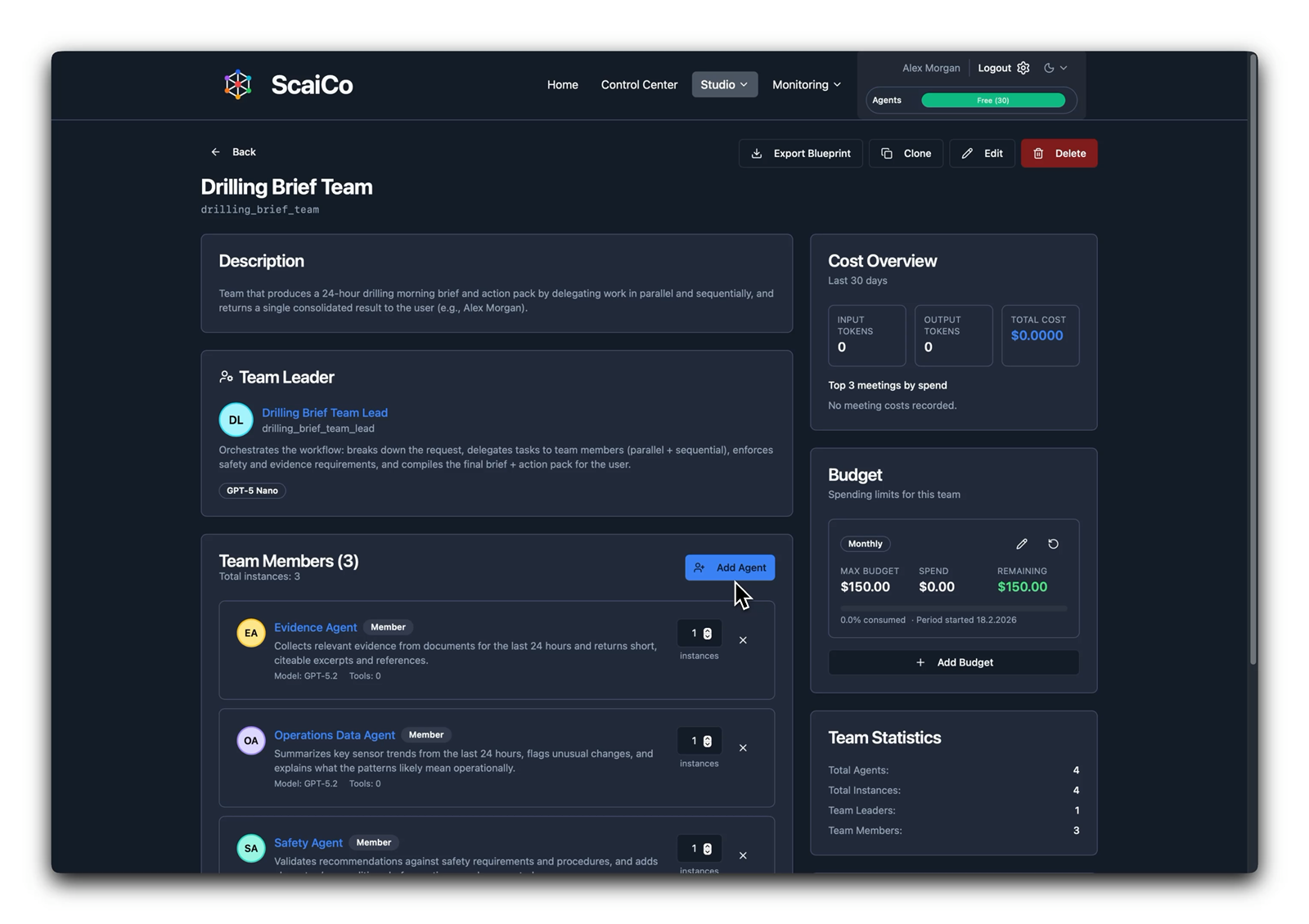
Teams
Blueprint export, team composition, and budget surfaces appear together in the operating view — setup and governance in one place.
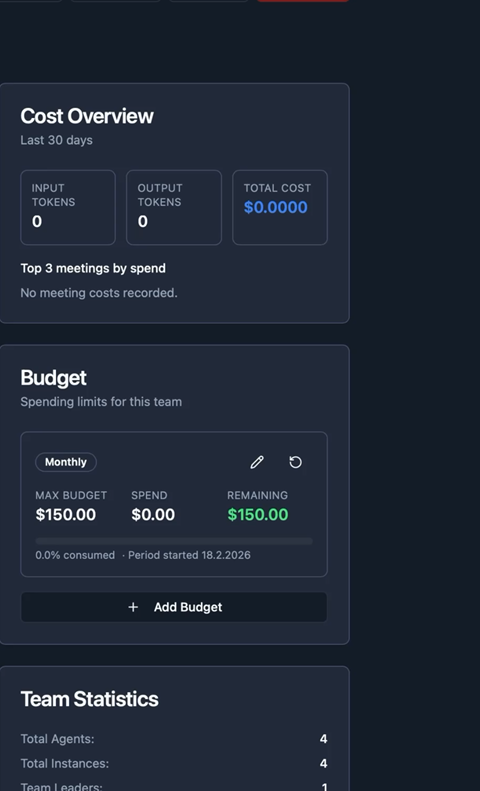
Budgets
Budget limits, spend, and remaining headroom are visible directly in the operating surface.
Product overview
ScaiCo runs today's orchestration work and sets the course for local execution.
Core capabilities
What's next
Explore
Architecture and integration
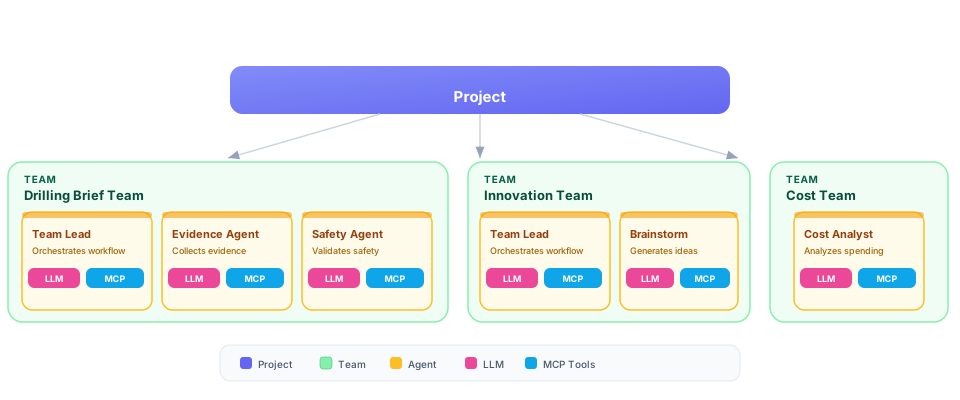
A2A and MCP coordinate specialist teams and tool access underneath the operating surface. The public API extends that same model to external applications.
Architecture overview
The architecture diagram shows how a project fans out into coordinated teams, specialist agents, and governed MCP tool access.
Next step
Start from the public control center if you want to operate a session directly, open projects if you want to inspect the workspace layer, or read the public API docs if another application needs to call the ScaiCo runtime.